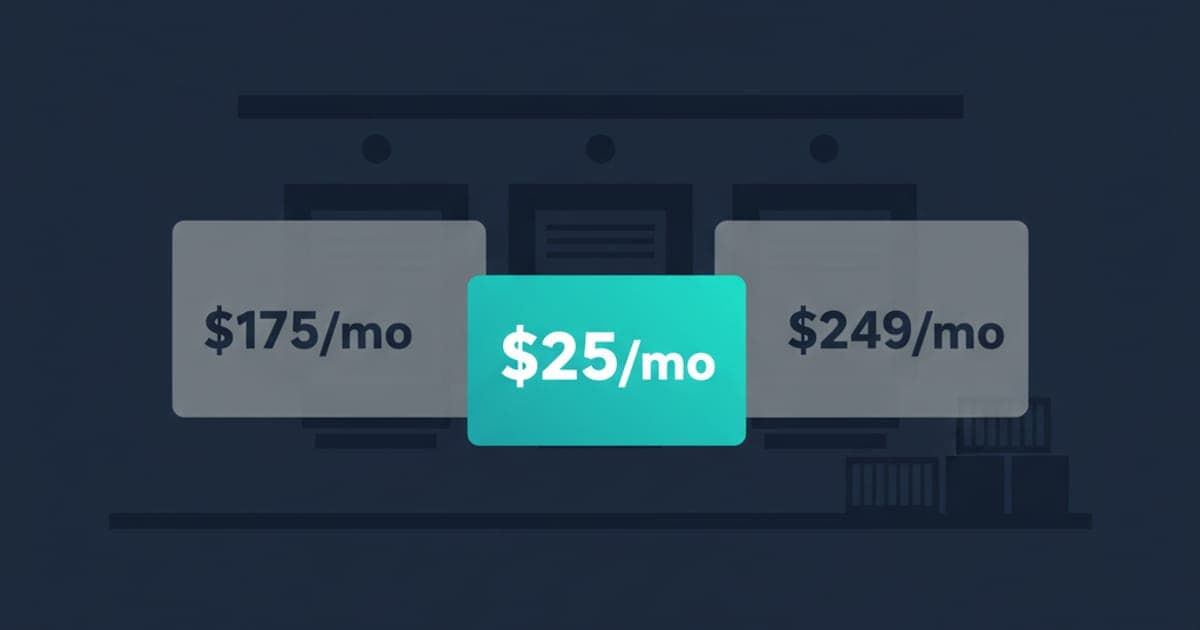
Most warehouses considering a move off OpenDock aren't unhappy with what OpenDock does — they're unhappy with what they're paying for what they actually use. OpenDock is built for high-volume distribution centers with full yard management, license- plate scanning, gate-attendant workflows, and freight integrations. If you run 3–15 trucks/day at a single warehouse and use about 20% of that platform, the math gets harder every renewal.
This playbook is for the operators who've made the call to switch. It assumes you're moving to ProDocks (or a similarly-positioned tool) and want a clean transition that doesn't lose carrier adoption or break detention recordkeeping.
Week 1: Parallel Setup
Set up ProDocks while OpenDock keeps running. This is not a flip-the-switch migration; it's a parallel run. The setup is ~15 minutes done by your operations team — no IT project — and consists of: configuring dock doors, setting calendar rules (open hours, blocked windows, max appointments per slot), generating the carrier booking link.
Don't invite any carriers yet. Use this week to do internal testing: book a few phantom appointments, run a kiosk QR test with a phone, walk through the dashboard with the dock team. Validate that capacity rules match what you actually run. Bookings in OpenDock continue normally during this time.
Week 2: Friendly-Carrier Pilot
Pick 2–3 carriers you have a strong relationship with. Tell them you're testing a new booking system; ask them to book through the new link for the next week instead of calling your dock office. Watch what happens.
The signal you're looking for: do they book the link without confusion, do their drivers check in cleanly via QR, do the timestamps land in the dashboard correctly, are there any edge cases (specialty load types, pickup windows you didn't configure) that break the flow?
Pilot carriers will give honest feedback. Most will say it's easier than OpenDock's portal. A few will hit edge cases. Fix the configurable ones; note the rest as known limitations going into the full rollout.
Week 3: Full Carrier Transition
Move all carriers to ProDocks. The exact move is: send one email per carrier (or one email to all if you have a single distribution list) with the new booking link, the phase-out date for OpenDock, and a one-line benefit statement.
The carrier conversation matters. Lead with the benefit, not the change:
“Starting [date], we're moving dock booking to a shared link instead of the OpenDock portal. The link is here: [link]. Pick the slot you want; you'll get an instant confirmation with a QR code your driver scans at the gate. Faster than the portal, no login required. The OpenDock portal will sunset on [date].”
Don't apologize for the change. Don't explain the internal cost reasons. The carrier doesn't care about your pricing — they care that the new flow takes 90 seconds vs. their current 3-minute portal hop.
Run both systems in parallel for the week. Bookings come in through both channels. Most carriers move within 1–2 bookings; the holdouts get a one-on-one nudge.
Week 4: Cutover and Reconciliation
Turn off OpenDock bookings. Reconcile any open items: appointments still on OpenDock calendars, detention disputes that started before the cutover, recurring slots that carriers had on file. Open detention disputes finish on OpenDock's evidence — don't try to move those mid-flight (see why timestamps matter for disputes).
Carrier scorecards reset. ProDocks starts a clean audit trail from the cutover date. Historical OpenDock data exports can be archived separately if you need them for compliance or reporting; you don't migrate it into the new system.
Three Metrics to Watch in Week 1 of the Full System
By the end of week 4 you should be running entirely on ProDocks. The first 5 days of full operation are where you confirm the switch is working. Three metrics to track:
Carrier on-time arrival rate. Target: matches or beats your OpenDock baseline immediately. The booking flow is more accurate (fewer slot misunderstandings), so carriers tend to arrive closer to their windows from day 1. If on-time rate drops, something's misconfigured — usually slot durations or buffer windows.
Average dwell time. Target: doesn't increase. With QR check-in replacing manual reception, dwell time should at minimum stay flat and often drops 10–20% from day 1.
Dock team interruptions for check-in. Target: drops sharply. The old-system baseline was probably 5–10 minutes of dock-team time per truck for reception. With QR self-check-in, that should drop to near zero. If it doesn't, drivers aren't scanning — usually because the kiosk placement is wrong.
What ProDocks Doesn't Cover
To stay honest: if you use OpenDock for full yard management with license-plate scanning, trailer pool tracking, freight procurement integration, or gate-attendant workflows, ProDocks is not the replacement. Those are enterprise dock-and-yard problems and OpenDock's pricing is justified for them.
ProDocks replaces OpenDock's scheduling layer for warehouses that mostly need appointment scheduling, carrier self-service, QR driver check-in, BOL capture, and a real-time dashboard. That's the 70–80% of OpenDock's use case that most 3–15 truck/day warehouses actually rely on day to day. See the full ProDocks vs. OpenDock comparison for the side-by-side, or skip ahead to pricing to see what the migration actually costs.